App Overview
This document provides an overview of the App including critical information and important considerations when applying it to your Nautobot environment.
Note
Throughout this documentation, the terms "app" and "plugin" will be used interchangeably.
Description
PDU Manager controls APC managed PDU (Network Management Card / AOS) outlets directly from Nautobot — powering an outlet on or off, rebooting it, or reading outlet status — over SSH using Nornir and Netmiko (the apc_aos driver). You can act from either the PDU device itself or from any device powered by a PDU outlet.
It is built entirely on Nautobot's native power modeling: a PDU's outlets are PowerOutlet components, a powered device exposes a PowerPort, and the relationship between them is a power Cable. The APC CLI outlet number is parsed from the outlet's name (e.g. Power Outlet 5 → outlet 5), so there is no per-outlet configuration to maintain.
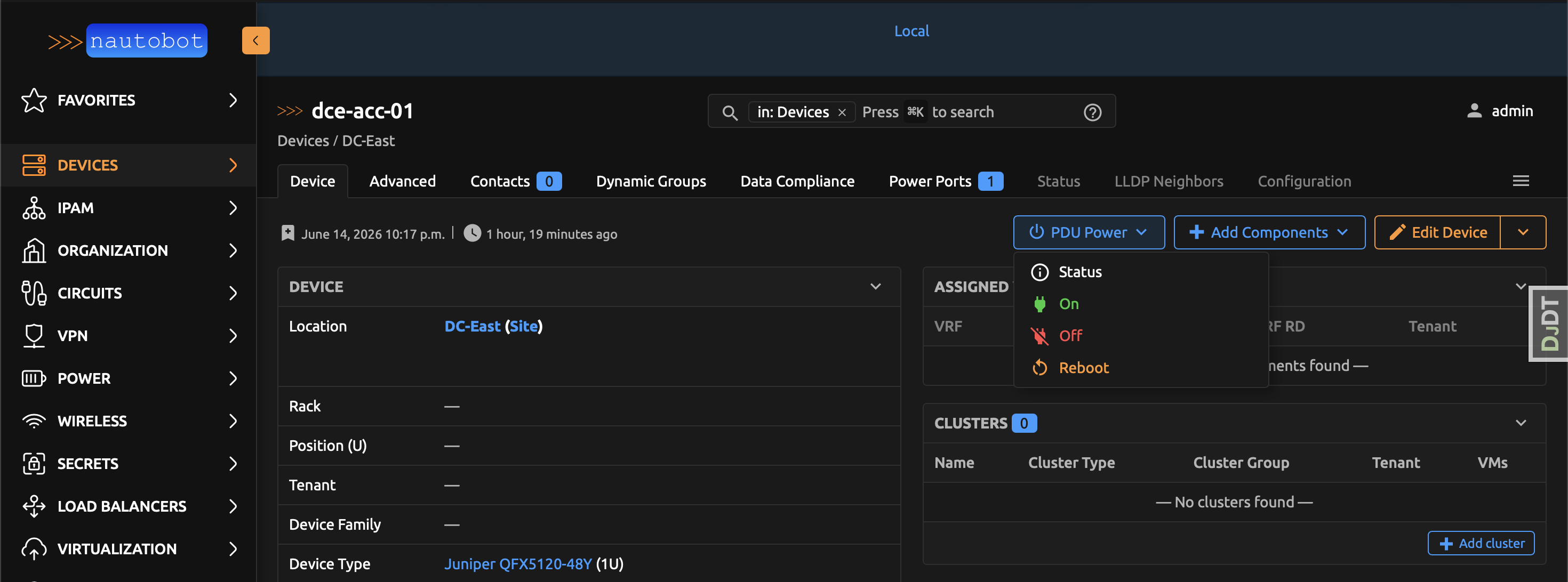
Every action runs as a Nautobot Job and is surfaced as a built-in PDU Power dropdown on every device detail page, so operators never have to leave the device they are working on.
Audience (User Personas) - Who should use this App?
- Network and data-center operators who need to power-cycle or check the status of a device (or a specific PDU outlet) from the same tool they use as their source of truth.
- Automation engineers who want power control exposed as Nautobot Jobs and a REST API rather than ad-hoc SSH scripts.
- Teams that need guardrails — using Power Off Protection to ensure critical infrastructure is never accidentally powered off or rebooted.
Authors and Maintainers
- James Williams (@jtdub)
Nautobot Features Used
PDU Manager builds on Nautobot's DCIM power model (Device, Platform, PowerOutlet, PowerPort, Cable, SecretsGroup) and the nautobot-plugin-nornir ORM inventory for SSH credentials and connectivity.
Extras
- Jobs —
PDU Power Control(full form: device + outlet + action) plus the per-action jobsPDU Power: Status,PDU Power: On,PDU Power: Off, andPDU Power: Rebootthat back the device-page dropdown. These are enabled automatically by a migration (and byinvoke generate-test-data). - Models —
PowerOffProtection, a model (with UI, GraphQL, and REST API) that prevents matched devices from being powered off or rebooted. - Template extension — a built-in PDU Power dropdown added to every
dcim.devicedetail page. - App config — a
MOCK_CONNECTIONSsetting that simulates APC PDU SSH sessions for demos without real hardware.